
Libra WeighTech
Accurate Weighing
Quality Services
Comparing analog vs digital load cells for an existing weighbridge? Start with compatibility, not the assumption that newer electronics will solve every weighing problem. Your decision should account for the installed load cells, indicator, mounting arrangement and condition of the complete truck scale.
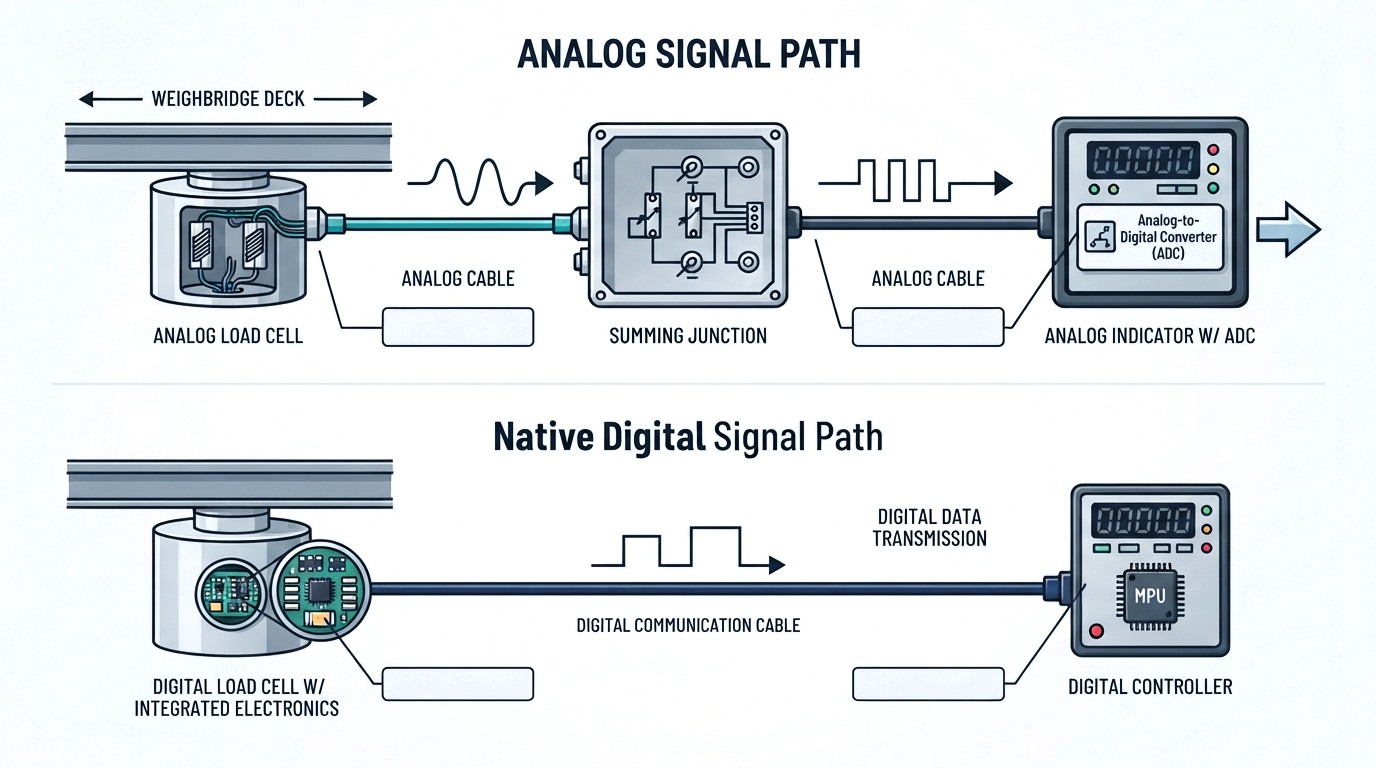
Both analog and digital truck-scale systems are available. A typical analog arrangement sends sensor signals through a junction box to an indicator. Digital arrangements add electronics and communications nearer the measurement point, with functions that depend on the selected equipment. [1, 4]
This guide explains the differences, three practical upgrade routes and the checks to request before approving an analog weighbridge conversion in Pakistan.
A strain-gauge analog load cell produces a small electrical signal in response to loading. Its rated output is commonly specified in millivolts per volt, written mV/V. The indicator or a separate weighing module converts that signal into digital measurement data. [2, 3]
A digital weight display does not prove that the installed load cells are digital. For example, the X3 indicator datasheet describes a numerical display alongside a strain-gauge input and an internal converter. Its computer or printer connections serve a different purpose from the load-cell input. [3]
A native digital load cell incorporates electronics that process the measurement and transmit digital data to compatible weighing electronics. Supported systems can identify individual cells and provide diagnostic information. Minebea Intec’s Pendeo Truck is a weighbridge example with matched electronics, identification and diagnostic features. [4]
Therefore, evaluate analog vs digital load cells as two system architectures—not as a guaranteed ranking of accuracy. Ask what each proposed configuration will deliver at your site, and how that performance will be tested.
|
Comparison point |
Analog load-cell system |
Digital load-cell system |
|
Signal leaving the cell |
Low-level analog signal, commonly specified in mV/V. [2] |
Digital measurement data through a supported interface. [4, 5] |
|
Conversion location |
In the indicator or an external weighing module. [3] |
In the cell or, for a conversion solution, a nearby digitizer. [4, 6] |
|
Fault information |
Depends on the indicator and whether individual channels are accessible. |
Individual-cell information may be available; check the exact diagnostics. [4] |
|
Corner adjustment |
Electrical trimming is not universal: some matched-output cells may avoid it. [6] |
Software-assisted corner adjustment is available on some systems. [4] |
|
Retrofit decision |
Verify signal, excitation, wiring, mounting and indicator specifications. |
Verify mounting, supply, interface, protocol and controller support. |
|
Performance acceptance |
Require evidence for the installed system, not just a sensor label. |
Require evidence for the installed system, not just a sensor label. |
A digital load cell upgrade does not always mean replacing every sensor. Ask for the proposed signal path in writing so you know which components will remain and which will change.
Where the existing cells and mechanics pass inspection, consider an analog-compatible indicator replacement, cable repairs or a software update. An indicator can support digital communication with a computer while still measuring analog load cells. That is an electronics upgrade, not a conversion of the physical sensors. [3]
Use this route as a quotation option when your main goal is better reporting, a replacement display or integration with existing office systems. Request proof that the new indicator supports the installed cells and the functions you actually need.
A digitizer converts a strain-gauge signal into digital data. The architecture matters: digitizing an already combined signal does not recover the individual cell values. Separate measurement channels are needed when individual-cell data is part of the requirement. [5]
One documented example is the Minebea Intec PR 6221 with the Connexx converter. The manufacturer describes this combination as a digital solution with individual cell values and CANopen communication. It is a specific supported combination—not evidence that every analog cell accepts the same converter. [6]
For an analog weighbridge conversion using this approach, request the approved cell–converter–indicator combination and identify any analog cable sections that remain.
This option replaces the sensing system with digital cells and supported weighing electronics. A matching digital system can offer identification and diagnostic functions, but the exact functions remain model-dependent. [4]
Ask whether the existing platform, foundations and mounts can remain after inspection. Include all necessary cables, network components, controller options and commissioning work in the scope. A quotation for sensors alone is not a complete retrofit plan.
Treat load cell retrofit compatibility as a review of the whole installation. Request a written comparison between the existing equipment and the proposed replacement, with unresolved items clearly identified.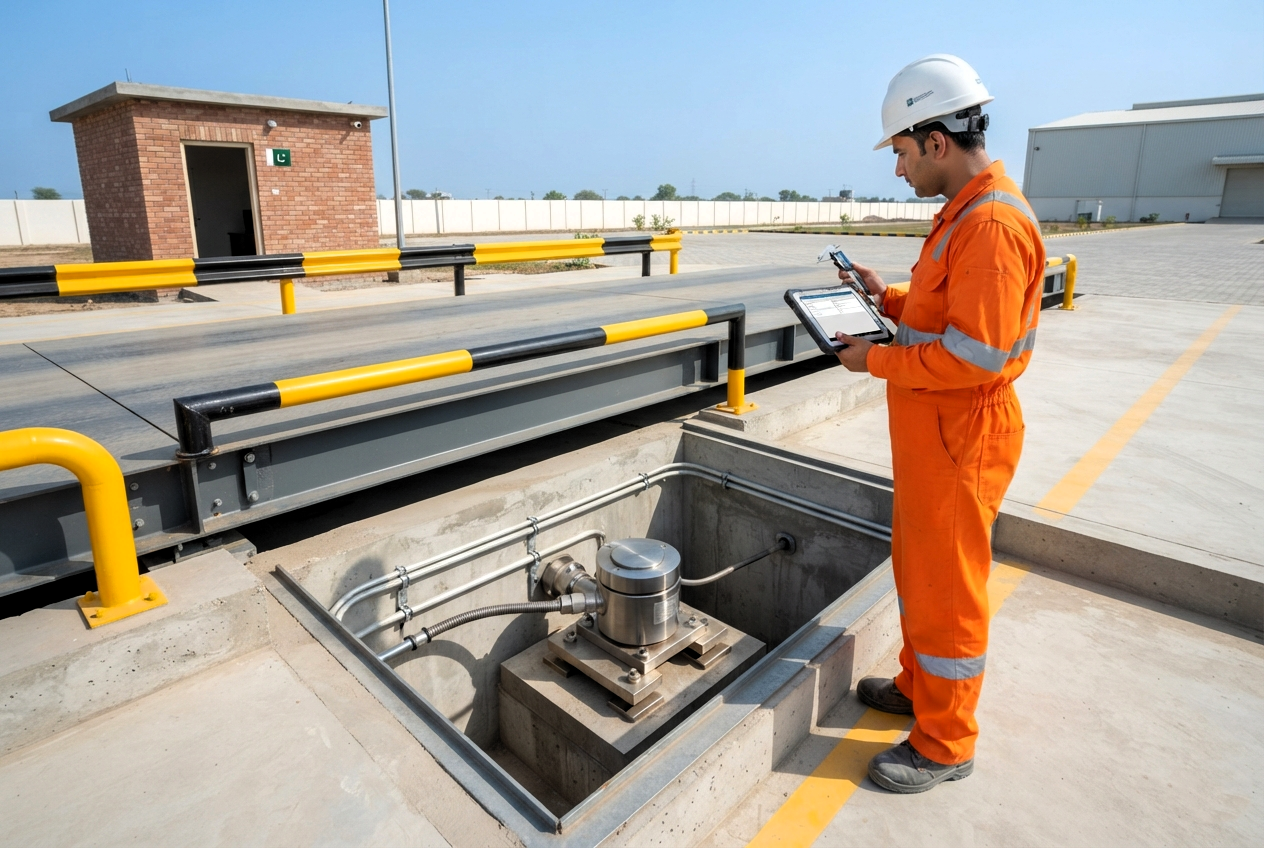
Compare the manufacturer’s dimensional drawings, overall height, load-contact geometry and mounting-kit requirements. Check cable exit space and the permitted movement of the platform. Load-cell datasheets distinguish rated capacity, safe load limits and environmental specifications; matching only the advertised tonnage is insufficient. [2, 7]
Ask the designer to assess the platform’s own weight, vehicle loading and how loads reach each support. Do not select cell capacity simply by dividing the weighbridge rating by the number of cells. Record whether new mounts or structural work are included.
For retained analog cells, compare excitation requirements, rated output, input and output resistance, total connected load and the indicator’s input range. Confirm four-wire or six-wire connections from the actual manuals. Published sensor and indicator specifications provide these parameters separately. [2, 3]
Request a wiring schedule based on the exact models. Do not approve a connection merely because the replacement cable has the same number of conductors.
Specify the required protection for the complete assembly: cells, connectors, cable entries, junction boxes and electronics. Compare the temperature and ingress-protection ratings of each component, not just the sensor housing. [2, 7]
Have the existing weighbridge checked for debris, drainage problems and unsuitable site conditions before selecting new electronics. Manufacturer guidance treats these as important to truck-scale operation. Digital data transmission is not a substitute for sound mechanics, appropriate cable routing and specified surge protection. [1, 6]
Digital load cell indicator compatibility requires more than matching a plug or finding “RS485” on two datasheets. The electrical interface and the communication protocol are different requirements. Mantracourt’s converter documentation, for example, distinguishes RS485 hardware from ASCII, Modbus and manufacturer-specific protocol variants. [5]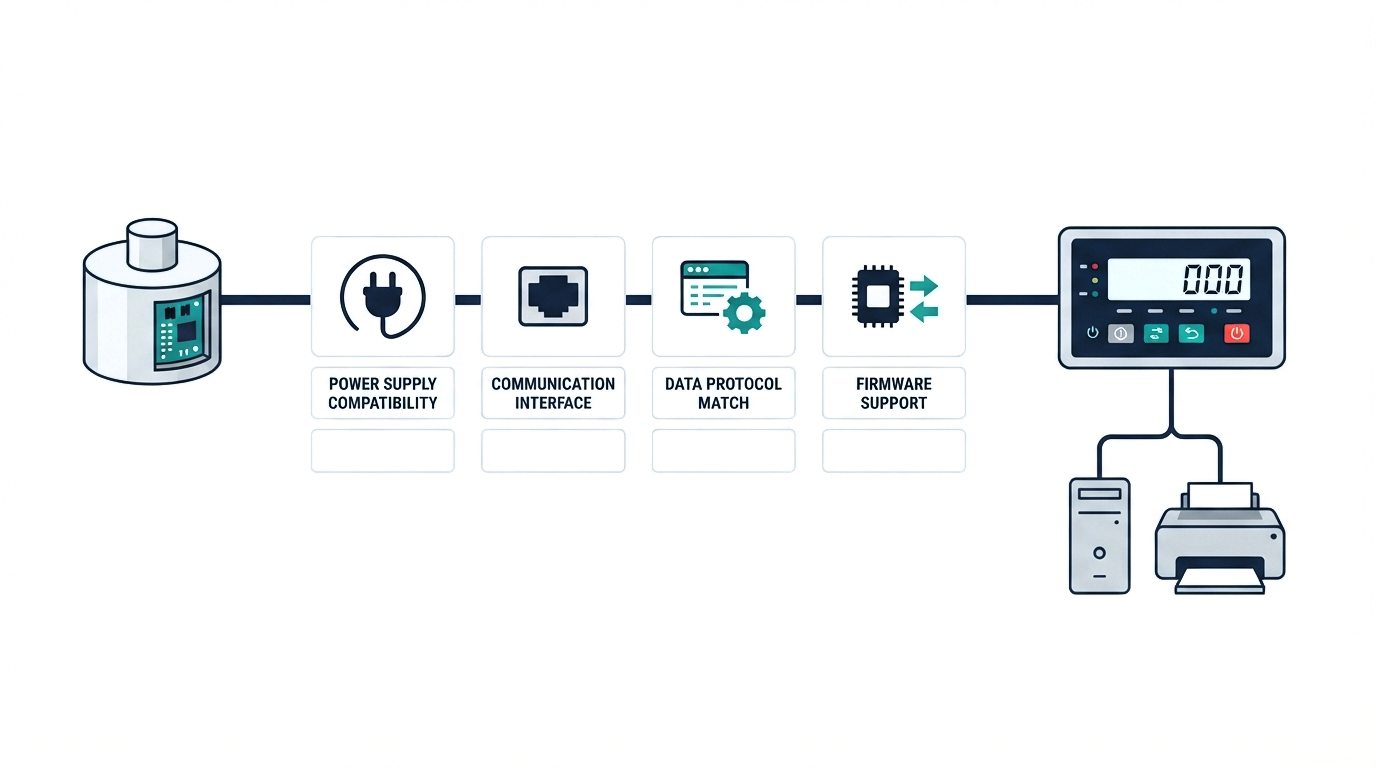
Before placing an order, ask the supplier to confirm the exact load-cell model, indicator hardware, installed interface card and firmware version. Request written support for that combination, including the planned number of cells and any required licences or configuration tools.
The acceptance record should identify supply requirements, communication settings, cell addressing, cable limits, network arrangement and termination where required by the manuals. Also ask whether diagnostics and cell replacement can be completed with the tools available to your maintenance team.
Distinguish sensor inputs from computer and printer connections. The X3 datasheet lists an analog measuring input, serial interface options and a separate CANopen option for Connexx. One port does not necessarily perform all these functions. [3]
Do not mix analog and digital cells on a common summing box or connect unsupported digital models to one bus. Require an explicitly supported design rather than relying on improvised adapters.
Plan weighbridge modernization around the complete weighing transaction, not only the weight displayed on screen. Vehicle-weighing controllers can provide first and second weighings, vehicle databases and ticket printing; some features depend on the chosen application or licence. [8]
Prepare sample tickets and a simple workflow for the supplier to demonstrate. Check vehicle identification, gross/tare/net handling, stored records, units, printer output and the data fields required by your existing software. Include traffic controls or a remote display when they form part of the project.
Test the actual connection with your weighbridge software or business system before handover. A compatible load-cell network does not, by itself, confirm that your existing software will read the replacement indicator correctly. Define who is responsible for that integration in the quotation.
For a useful analog vs digital load cells cost comparison, request itemized proposals against the same operating requirements. Separate the sensor price from mounting work, indicator options, cabling, software, installation, testing and service support.
Ask each supplier to explain what can be reused, what must be replaced and what remains provisional until inspection. Also request the availability of replacement parts, configuration backups, service tools and operator training. These questions make the ongoing support requirements visible before purchase.
Agree the shutdown window, safe access arrangements, temporary weighing plan and acceptance criteria before work starts. Avoid committing to a fixed completion time until the condition of the existing system and the full work scope have been assessed.
Have qualified personnel plan and carry out the retrofit. The weighbridge must be taken out of service and made safe for the work. This article is a purchasing guide, not instructions for lifting a deck, working beneath it or modifying electrical connections.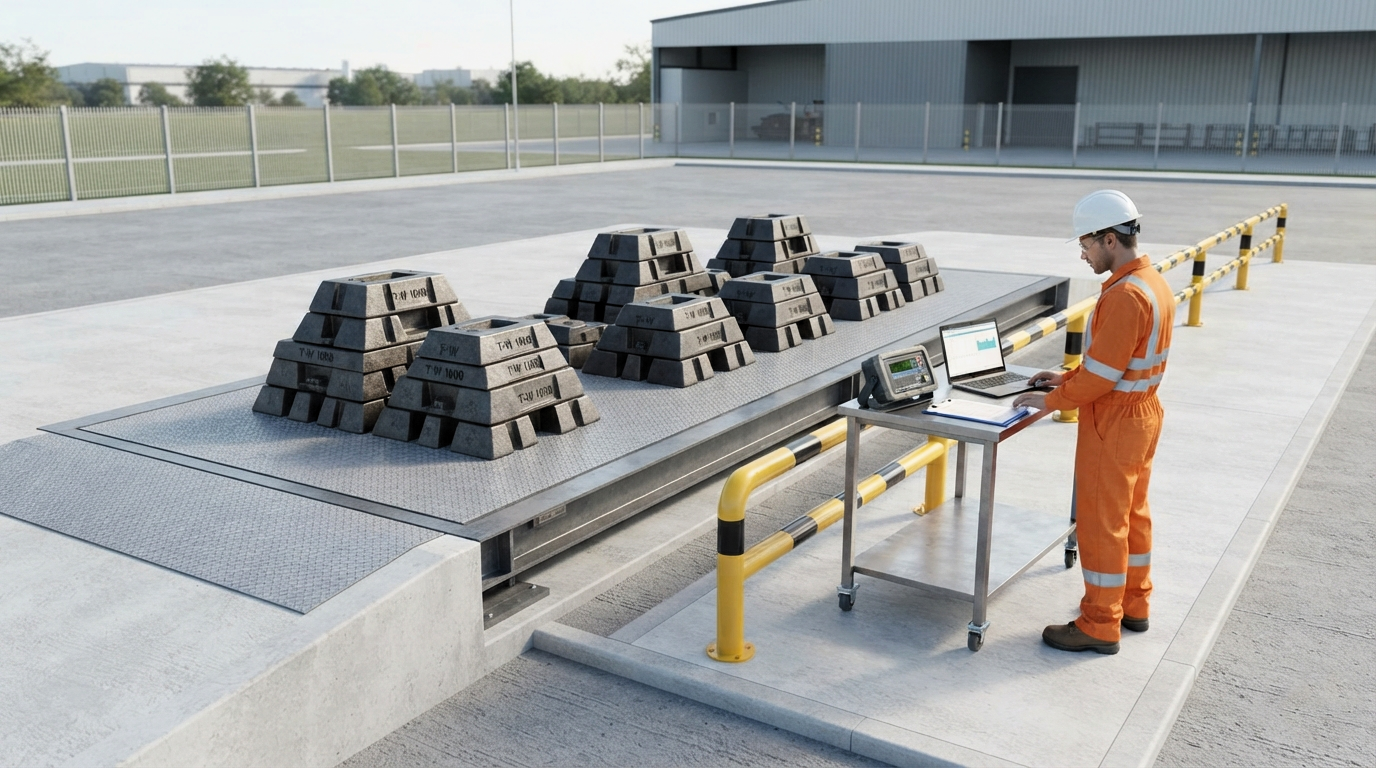
The handover plan should include configuration checks and documented weighing tests. OIML R 76-1 describes performance requirements including repeatability and eccentric loading. Ask the service provider to define suitable load tests, zero return and corner checks for the installed scale, as well as software and ticket verification. [9]
Factory calibration data and electronic diagnostics do not, by themselves, demonstrate the performance of the installed weighbridge. For trade use, confirm the applicable approval and re-verification requirements with the relevant authority. Do not treat a calibration certificate as automatic legal authorization. OIML guidance is not a statement of Pakistan’s local approval rules. [9]
Libra Weigh Tech offers on-site and laboratory calibration, plus re-verification and technical support. Include the required tests, documentation and service arrangements in your project enquiry. [11, 12]
Possibly. A supported converter-based system can retain compatible analog cells. PR 6221 with Connexx is one manufacturer-documented example. Your own cell models and their condition still require assessment. [6]
Only after its input hardware, supported devices and firmware have been checked. Ask for the exact retained configuration to be listed in the proposal, including any interface-card change. A digital display alone is not proof of compatibility.
No. Sharing an interface does not establish a common protocol or supported command set. Compare the exact communication specifications and obtain confirmation for the cell–indicator combination. [5]
Do not assume so. Require a target specification and acceptance results for the whole weighbridge. Choose the system that meets the documented requirement, rather than using “analog” or “digital” as the acceptance criterion.
Plan installed-system performance checks before returning it to service. Confirm the required calibration, documentation and any trade re-verification with the service provider and relevant authority. [9]
At Libra Weigh Tech, our range includes digital load cells, and our service team provides installation, diagnostics, repair and calibration support in Pakistan. [10, 11]
Send photographs of your load-cell and indicator nameplates, the number of cells, weighbridge capacity, mounting details and a description of the problem. Add your site location, existing software and preferred shutdown window so the enquiry covers the complete installation.
The practical choice between analog vs digital load cells starts with a supported design and ends with verified system performance. Discuss your retrofit requirements with Libra Weigh Tech before ordering replacement components.
Request a weighbridge retrofit assessment from Libra Weigh Tech.
Email: info@libraweightech.com | Multan office: +92 300 8636317. [13]